
Download VoiceGen – Advanced Text‑to‑Speech, Free Trial, Secure AI Voice Generator
Overview
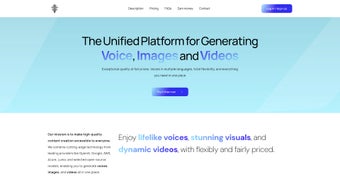
VoiceGen is a cutting‑edge text‑to‑speech (TTS) platform that turns written content into realistic, natural‑sounding audio. Powered by the latest AI models from industry leaders such as OpenAI, Google, AWS, and Azure, VoiceGen delivers studio‑grade voiceovers without the need for expensive recording equipment or professional voice talent. Whether you are an author looking to produce an audiobook, an educator creating e‑learning modules, or a marketer needing a quick narration for a video ad, VoiceGen offers a flexible, pay‑as‑you‑go pricing model that scales with your usage.
The platform’s intuitive web‑based interface requires no technical background—just paste your text, pick a language and voice, and generate audio in seconds. Security is baked in; all uploaded content is encrypted in transit and at rest, and the service complies with GDPR and other privacy standards, ensuring that your intellectual property stays private. VoiceGen also supports unrestricted commercial use, meaning the audio you create can be published, sold, or distributed without additional licensing fees.
A free trial grants new users access to the full feature set, allowing you to test the quality, speed, and multilingual capabilities before committing to a paid plan.
Key Features of VoiceGen
- AI‑Powered Natural Voices: Leverages state‑of‑the‑art neural TTS models that mimic human intonation, pacing, and emotion.
- Multi‑Language Support: Generates speech in over 30 languages and dialects, ideal for global audiences.
- Pay‑As‑You‑Go Pricing: Transparent billing based on characters processed; no hidden subscription fees.
- Unlimited Commercial Rights: Audio files can be used in marketing, advertisements, podcasts, and more without extra licensing.
- Secure Cloud Infrastructure: End‑to‑end encryption, GDPR compliance, and regular security audits protect your data.
- Bulk Processing: Handles large documents such as full‑length books or extensive e‑learning curricula in batch mode.
- Custom Voice Selection: Choose from a curated library of male, female, and neutral voices, each with adjustable pitch and speed.
- API Access: Developers can integrate VoiceGen into their own applications via RESTful endpoints.
- Free Trial & No Credit Card Required: Test the platform with a generous quota before purchasing.
- Cross‑Platform Availability: Accessible via any modern browser on Windows, macOS, Android, or iOS.
Installation & Usage Instructions
VoiceGen is a cloud‑based service, so there is no traditional software installation required. Follow these simple steps to start generating high‑quality speech:
- Create an Account: Visit the VoiceGen website and sign up with your email address. Verify the account via the confirmation link sent to your inbox.
- Start the Free Trial: Once logged in, you will automatically receive a free credit balance that can be used to generate up to 500,000 characters of audio.
- Enter Your Text: In the main dashboard, paste or upload the text you wish to convert. VoiceGen supports plain text, PDF, and DOCX formats.
- Select Language & Voice: Use the dropdown menus to choose the desired language and voice style. You can preview each voice before finalizing.
- Adjust Settings (Optional): Tweak speed, pitch, and volume to match your project’s tone. For audiobooks, you may enable “chapter breaks” to insert natural pauses.
- Generate Audio: Click the “Generate” button. VoiceGen processes the request in the cloud and provides a downloadable MP3 or WAV file within seconds for short texts, or a few minutes for longer documents.
- Download & Use: Save the file locally or copy the direct link for embedding in websites, LMS platforms, or video editors.
- Monitor Usage: The dashboard displays real‑time usage statistics, remaining trial credits, and billing details if you upgrade to a paid plan.
- API Integration (Advanced): Generate an API key from the “Developer” section, then use the documented endpoints to automate TTS in your own applications.
Because all processing happens on VoiceGen’s secure servers, your device’s operating system does not affect performance. The web interface is optimized for both desktop and mobile browsers, ensuring a smooth experience whether you’re on a Windows PC, a MacBook, an Android tablet, or an iPhone.
Compatibility, Pros & Cons
VoiceGen runs entirely in the cloud, making it compatible with any modern operating system that supports a web browser. Tested browsers include Chrome, Firefox, Edge, and Safari on Windows 10/11, macOS 12+, Android 9+, and iOS 13+. No additional plugins or runtime environments are required.
Pros
- High‑fidelity, natural‑sounding AI voices.
- Extensive multilingual library for global projects.
- Transparent, pay‑as‑you‑go pricing eliminates surprise fees.
- Unlimited commercial usage rights.
- Robust security and privacy compliance.
- Easy‑to‑use web UI with no technical expertise needed.
- API access for developers and automation.
- Free trial with generous character allowance.
Cons
- Requires an internet connection; offline use is not possible.
- Pricing can become costly for extremely high‑volume projects if not monitored.
- Advanced voice customisation (e.g., custom voice training) is not currently offered.
FAQ
Can I use VoiceGen audio for commercial marketing campaigns?
Yes. VoiceGen grants unlimited commercial rights, so you can embed the generated audio in ads, product videos, podcasts, and any other revenue‑generating material without additional licensing fees.
What languages are supported?
VoiceGen currently supports over 30 languages, including English, Spanish, Mandarin, German, French, Japanese, Arabic, Hindi, and many regional dialects. The full list is available in the language selector on the dashboard.
Is there a limit to the length of text I can convert?
There is no hard character limit per request, but extremely long documents are processed in batches. The free trial allows up to 500,000 characters; paid users can convert millions of characters based on their credit balance.
How does VoiceGen ensure data privacy?
All uploads are encrypted using TLS 1.3 during transmission and stored with AES‑256 encryption at rest. VoiceGen adheres to GDPR, CCPA, and ISO‑27001 standards, and does not retain user content after processing unless you opt to store it in your account library.
Can I integrate VoiceGen into my own software?
Absolutely. VoiceGen provides a RESTful API with detailed documentation, allowing developers to programmatically submit text, select voices, and retrieve audio files. API keys are managed from the “Developer” section of your account.
Conclusion & Call to Action
VoiceGen stands out as a reliable, secure, and versatile text‑to‑speech solution for anyone who needs high‑quality audio without the overhead of traditional recording. Its AI‑driven voices, extensive language roster, and commercial‑ready licensing make it suitable for authors, educators, marketers, and developers alike. The free trial lowers the barrier to entry, letting you evaluate the platform’s performance before committing to pay‑as‑you‑go usage.
Ready to give your text a voice? Download VoiceGen now, start your free trial, and experience the future of AI‑generated speech today.
Pros: Natural AI voices, multilingual, secure, unlimited commercial use.
Cons: No offline mode, cost can add up at very high volumes.



.png)



